Guides · Print
How many pixels is an A4?
The answer is 2480 × 3508, but only if you print at 300 dpi. Here are all the paper sizes in pixels, what dpi really means and how to tell whether a photo is big enough.

In short. An A4 sheet (21 × 29.7 cm) is 2480 × 3508 pixels at 300 dpi, the quality for photos and prints you hold in your hand. At 150 dpi it is 1240 × 1754, at 72 dpi 595 × 842.
Landscape is the same numbers swapped: 3508 × 2480.
Paper is measured in centimetres or inches, images in pixels. To go from one to the other you need a third number: how many pixels go into each inch of paper. That is the resolution, written in dpi (dots per inch) or ppi (pixels per inch). In everyday use the two mean the same thing.
The calculation
pixels = centimetres ÷ 2.54 × dpi (or inches × dpi). For the short side of an A4 at 300 dpi: 21 ÷ 2.54 × 300 = 2480. For the long side: 29.7 ÷ 2.54 × 300 = 3508.
Paper sizes in pixels
| Size | mm | 300 dpi | 150 dpi | 72 dpi |
|---|---|---|---|---|
| A3 | 297 × 420 | 3508 × 4961 | 1754 × 2480 | 842 × 1191 |
| A4 | 210 × 297 | 2480 × 3508 | 1240 × 1754 | 595 × 842 |
| A5 | 148 × 210 | 1748 × 2480 | 874 × 1240 | 420 × 595 |
| A6 | 105 × 148 | 1240 × 1748 | 620 × 874 | 298 × 420 |
| US Letter | 216 × 279 | 2550 × 3300 | 1275 × 1650 | 612 × 792 |
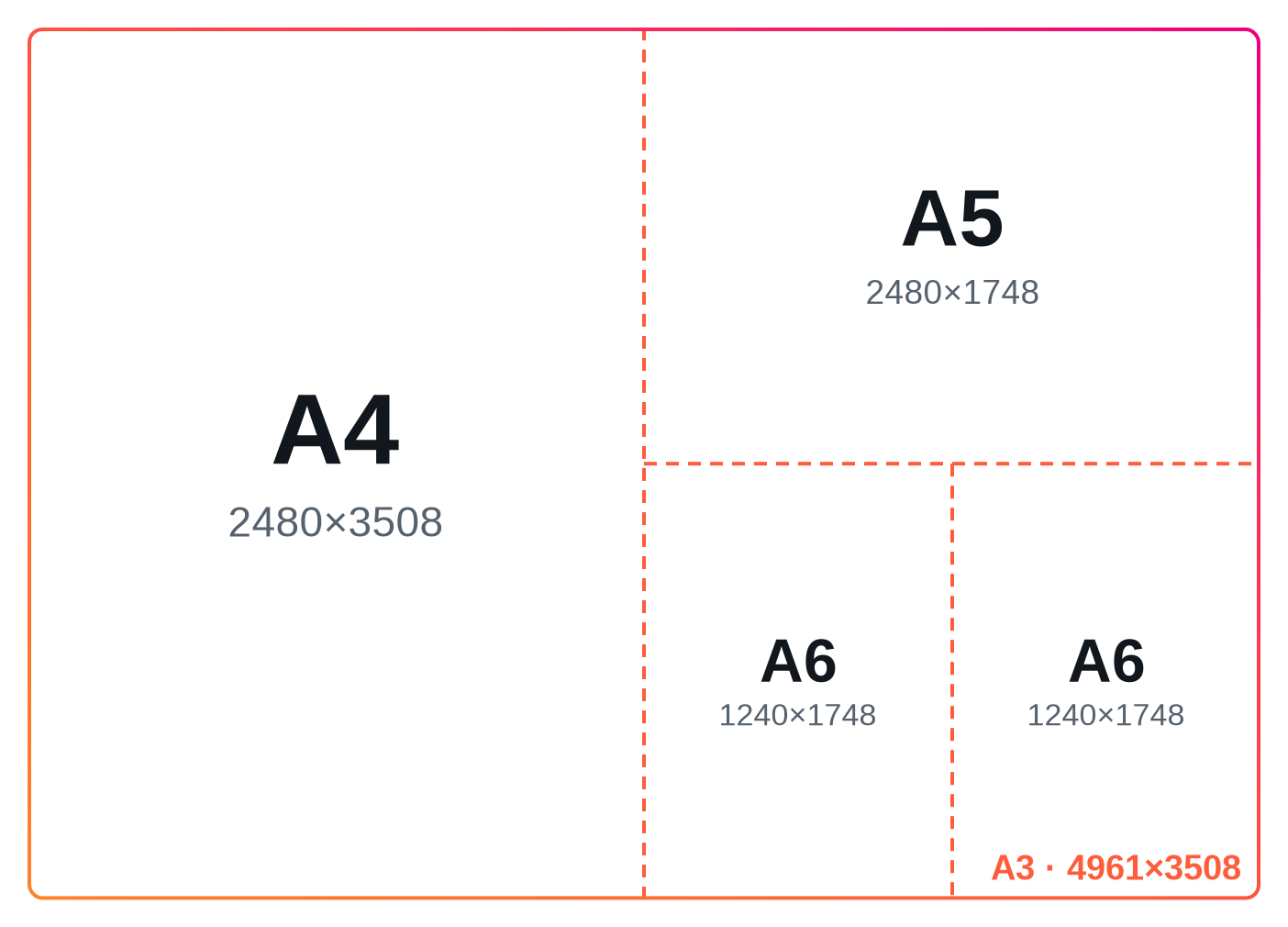
Each A size is half of the one before (rounded to the millimetre): two A4 sheets make an A3, two A5 make an A4. That is why the same numbers keep coming back, one row lower.
300, 150 or 72 dpi?
The same piece of paper, three resolutions. Up close, at 72 dpi you see the squares; 150 is already acceptable; at 300 the edges are clean.
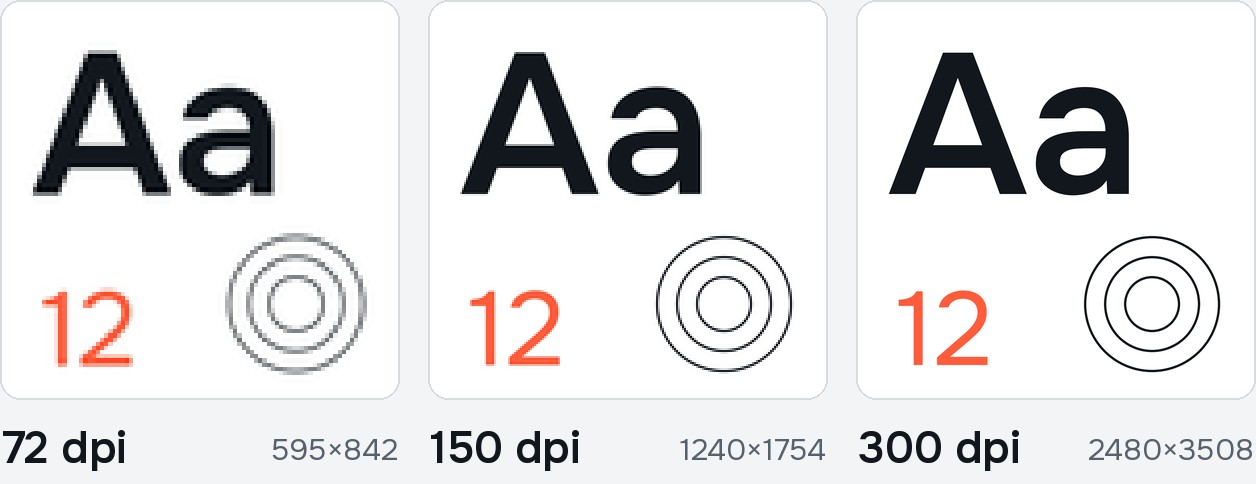
- 300 dpi: photos, flyers, anything read or looked at from close up.
- 150–200 dpi: posters and large prints seen from a metre or more, office documents.
- 72 dpi: too coarse for print, the pixels show up close. On screens the dpi value doesn’t matter: only the width and height in pixels do.
Is my photo big enough for an A4?
Turn the calculation around: dpi = pixels ÷ inches. A photo is good for an A4 at 300 dpi if it has at least about 2480 × 3508 pixels.
| Photo | Pixels | Largest print at 300 dpi | On an A4 |
|---|---|---|---|
| iPhone, 12 MP | 4032 × 3024 | 34 × 26 cm | Yes, about 345 dpi |
| Camera, 24 MP | 6000 × 4000 | 51 × 34 cm | Yes, and A3 too |
| 48 MP photo | 8064 × 6048 | 68 × 51 cm | Yes, up to A2 |
| Full HD screenshot | 1920 × 1080 | 16 × 9 cm | Soft, about 131 dpi |
| Instagram photo | 1080 × 1350 | 9 × 11 cm | Soft up close, about 115 dpi |
Values for a print that fills the whole sheet; if the photo has a different shape, part of it is cropped.
A photo downloaded from a social network or a messaging app has usually been reduced: fine on a phone, too small for paper. For printing, always start from the original.
The dpi written in the file doesn’t matter. Changing «72» to «300» in a file’s information, without resampling, doesn’t add a single pixel: only the default print size changes. What counts is how many pixels there are and how big you print them. When you order a print, choose the paper size (A4, for example) or the finished size.
A4 isn’t shaped like a photo
A4 is about 1:1.41; camera photos are 3:2, phone photos 4:3. To fill the sheet you crop a little; to keep the whole photo you leave a white margin. The difference is explained in the guide to aspect ratios.
In Misuro
To prepare photos for an A4 at 300 dpi, set an exact size of 2480 × 3508 (or 3508 × 2480 for landscape). Fill and crop fills the sheet and crops the excess; Fit with borders keeps the whole photo with a white background around it. If you only need the right resolution and not the shape of the sheet, use Keep proportions with the long side at 3508. Allow enlarging is off by default, so photos that are too small are never stretched: enlarging doesn’t add detail. You can save the settings as your own preset.
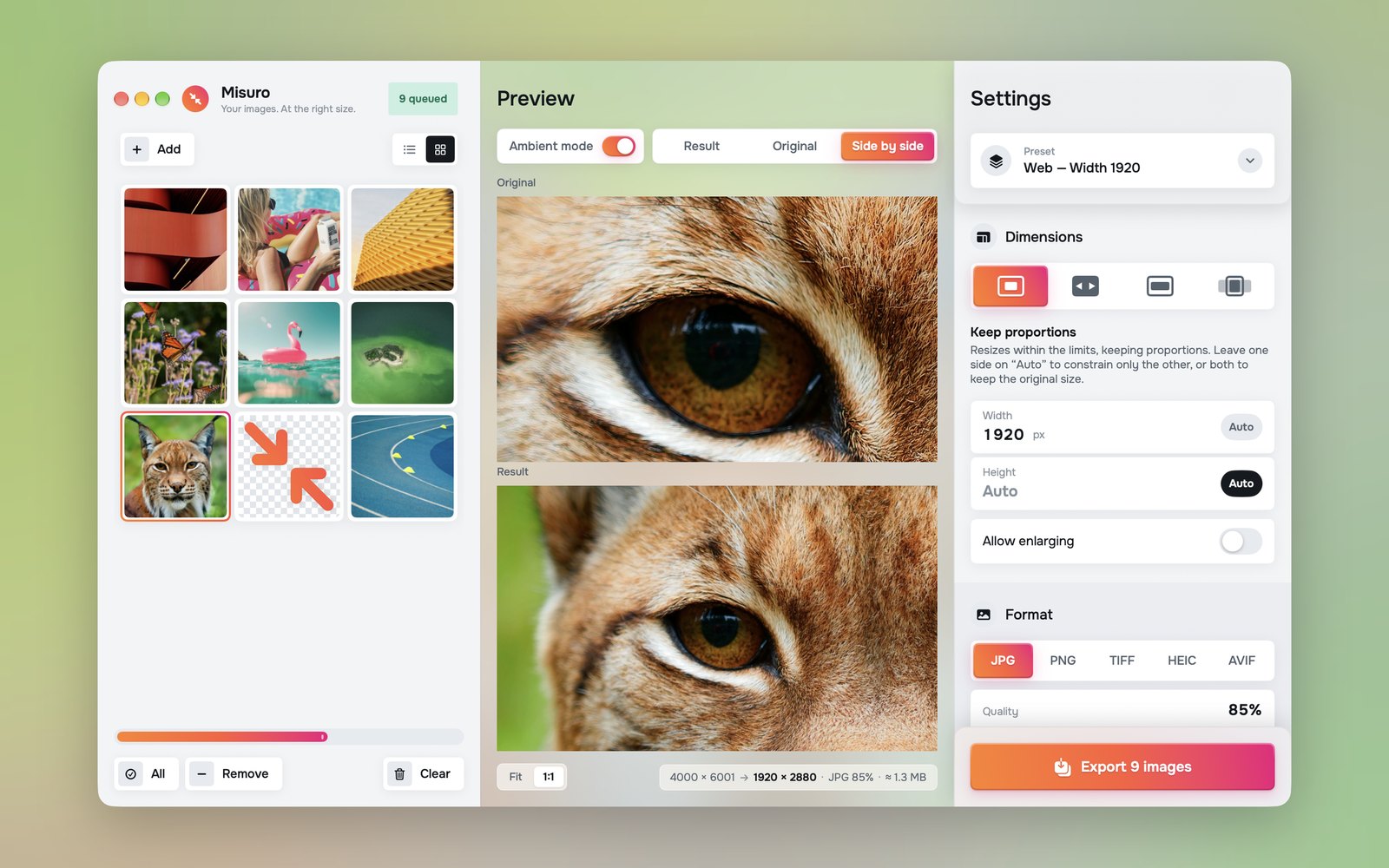

Misuro for Mac
Bring a whole folder of photos to the right size for print, web or social, in one go. Offline, one-time purchase.

Read next
Photo credits
Cover and diagrams: Misuro.