Guides · Images
Photo aspect ratios, explained
Two numbers that decide what your photo looks like on a TV, a phone or a feed. What they mean, where each one belongs and how to switch between them.

In short. An aspect ratio is the relationship between width and height, not a size. 16:9 is for screens and video, 3:2 for cameras, 4:3 for phones, 1:1 and 4:5 for Instagram posts, 9:16 for Stories, Reels and Shorts.
To change format you either crop part of the photo or add borders around it. Never stretch it.
Every photo has a shape: wide, square, tall. That shape is the aspect ratio, written as two numbers separated by a colon. It says nothing about how many pixels there are. A 1920 × 1080 image and a 3840 × 2160 image have exactly the same shape: both are 16:9. The second has twice the width and twice the height, so four times the pixels.
The six formats you meet every day
The shapes side by side: landscape formats on top, square and portrait below, each with a typical size in pixels.
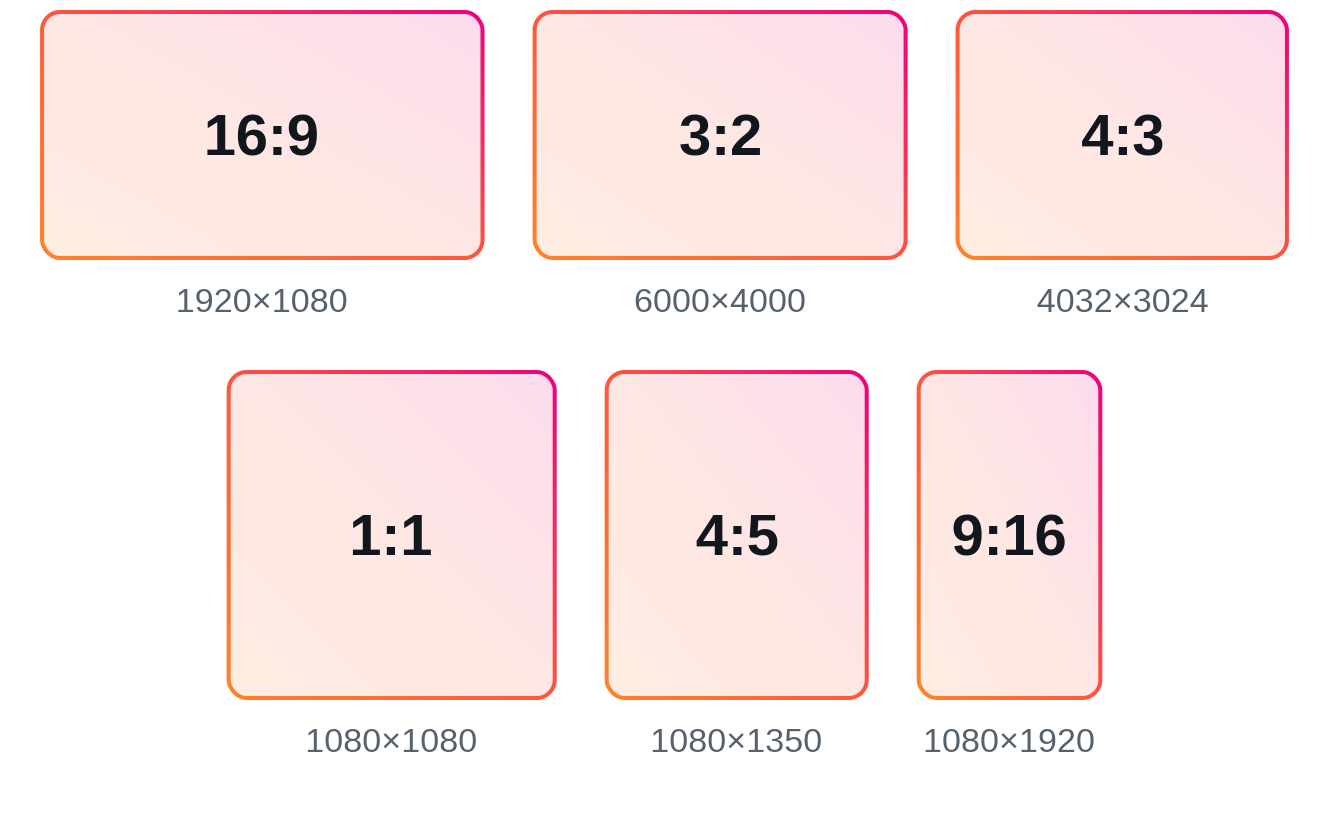
| Format | Where you find it | Example size |
|---|---|---|
| 16:9 | TVs, monitors, YouTube, presentations, website covers | 1920 × 1080, 3840 × 2160 |
| 3:2 | Most cameras (DSLR and mirrorless), classic 10 × 15 cm prints | 6000 × 4000 |
| 4:3 | iPhone and most phones, iPad, compact cameras | 4032 × 3024 |
| 1:1 | Square posts, profile pictures, product catalogues | 1080 × 1080 |
| 4:5 | Portrait posts on Instagram, for photos that look bigger in the feed | 1080 × 1350 |
| 9:16 | Stories, Reels, Shorts: full-screen on a phone | 1080 × 1920 |
Portrait and landscape are the same ratio turned around: a 3:2 photo held vertically is 2:3. That is why the same camera gives you both.
And paper? A4 and the other A sizes are about 1:1.41, longer than 4:3 and shorter than 3:2. Printing a camera photo on A4 always means cropping a little or leaving a white margin.
From ratio to pixels
If you know the width and the format, the height is one division and one multiplication away: width ÷ first number × second number.
| Width | Format | Calculation | Height |
|---|---|---|---|
| 1920 px | 16:9 | 1920 ÷ 16 × 9 | 1080 px |
| 1080 px | 4:5 | 1080 ÷ 4 × 5 | 1350 px |
| 3000 px | 3:2 | 3000 ÷ 3 × 2 | 2000 px |
| 1600 px | 4:3 | 1600 ÷ 4 × 3 | 1200 px |
Going the other way works too: divide width by height and compare. 1.78 is 16:9, 1.5 is 3:2, 1.33 is 4:3, 1 is square, 0.8 is 4:5.
Changing format means cropping
A photo can't change shape without losing something. If you turn a 3:2 camera photo into a 16:9 cover, a strip disappears at the top and bottom. If you turn it into a square, the sides go. The further the new format is from the original, the more you lose:
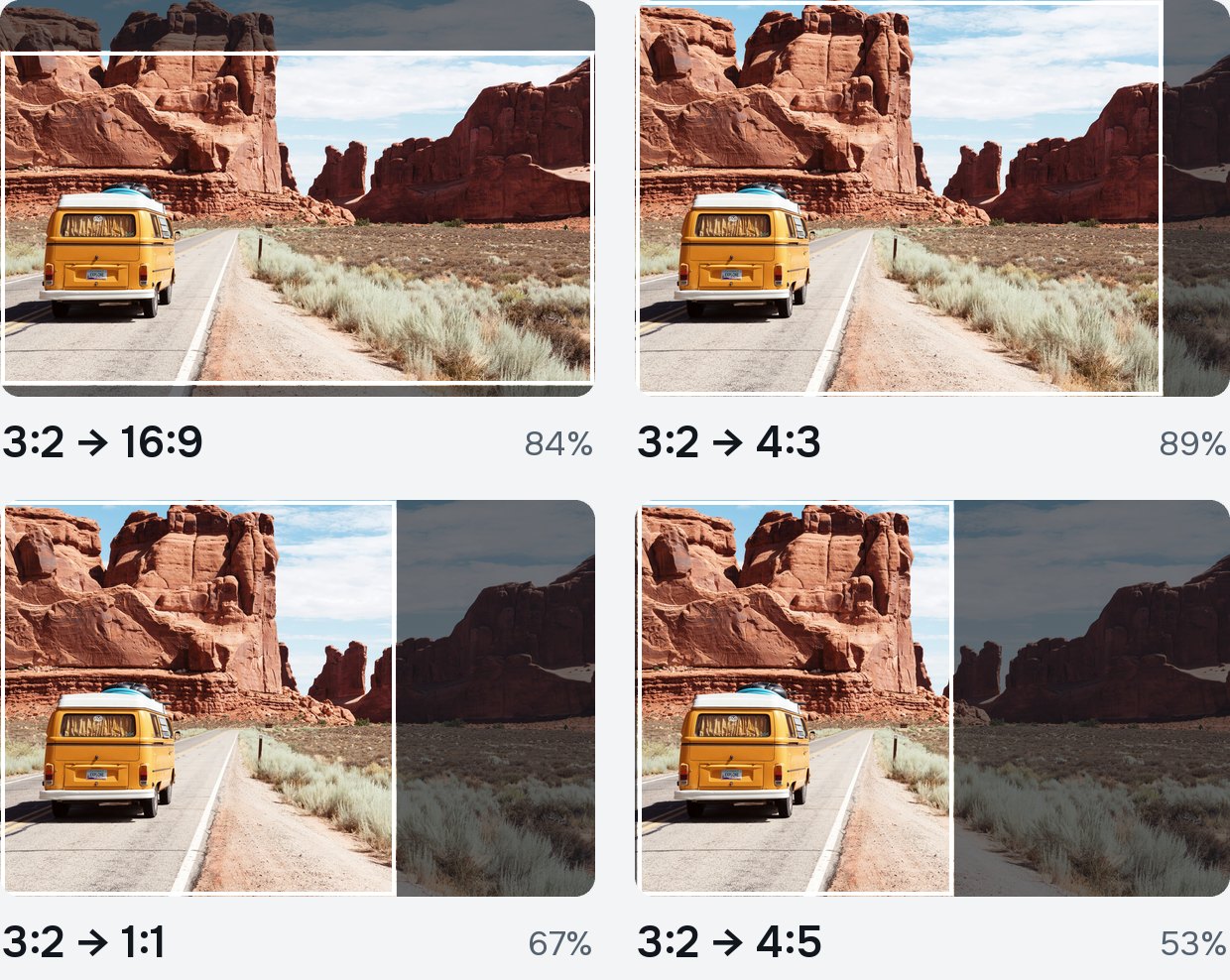
Two things follow. First, where you crop matters as much as how much: in a square crop the van should stay in the frame, not the empty desert on the right. Second, going from landscape to portrait costs about half the picture, so if you know you need a vertical version, it's worth shooting one.
Crop or add borders?
There is a second way to change format: keep the whole photo and fill the space around it with a colour. Here is a vertical photo placed in a 16:9 frame, both ways:
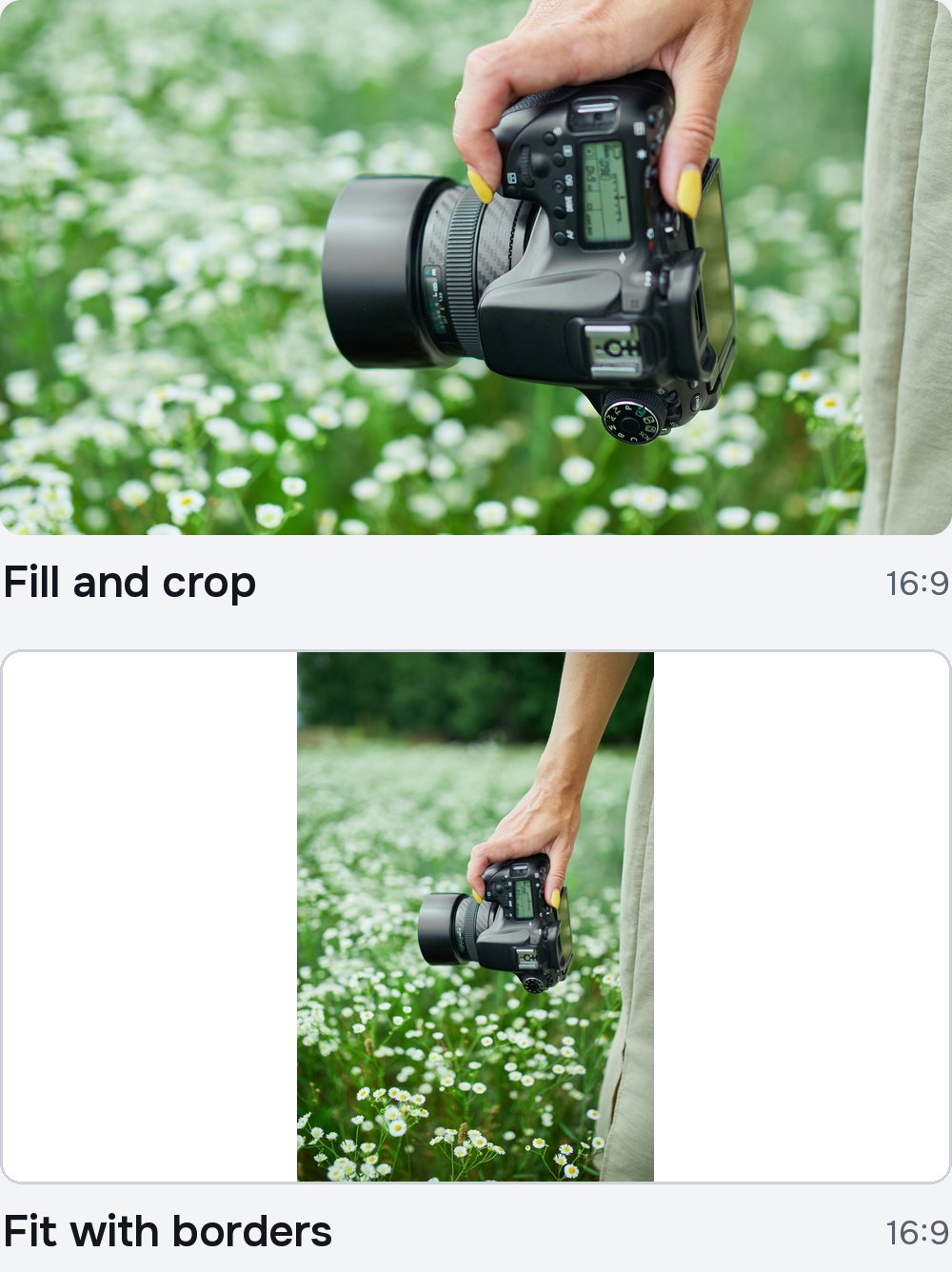
- Crop when the photo has to fill the space: social posts, website covers, wallpapers, slides.
- Borders when nothing may be cut: products on a white background for a shop or marketplace, artwork, documents, a grid of photos that must all have the same shape.
The one thing never to do is stretch: forcing a photo into a different shape by pulling it makes faces wider and circles oval, and everyone notices.
In Misuro
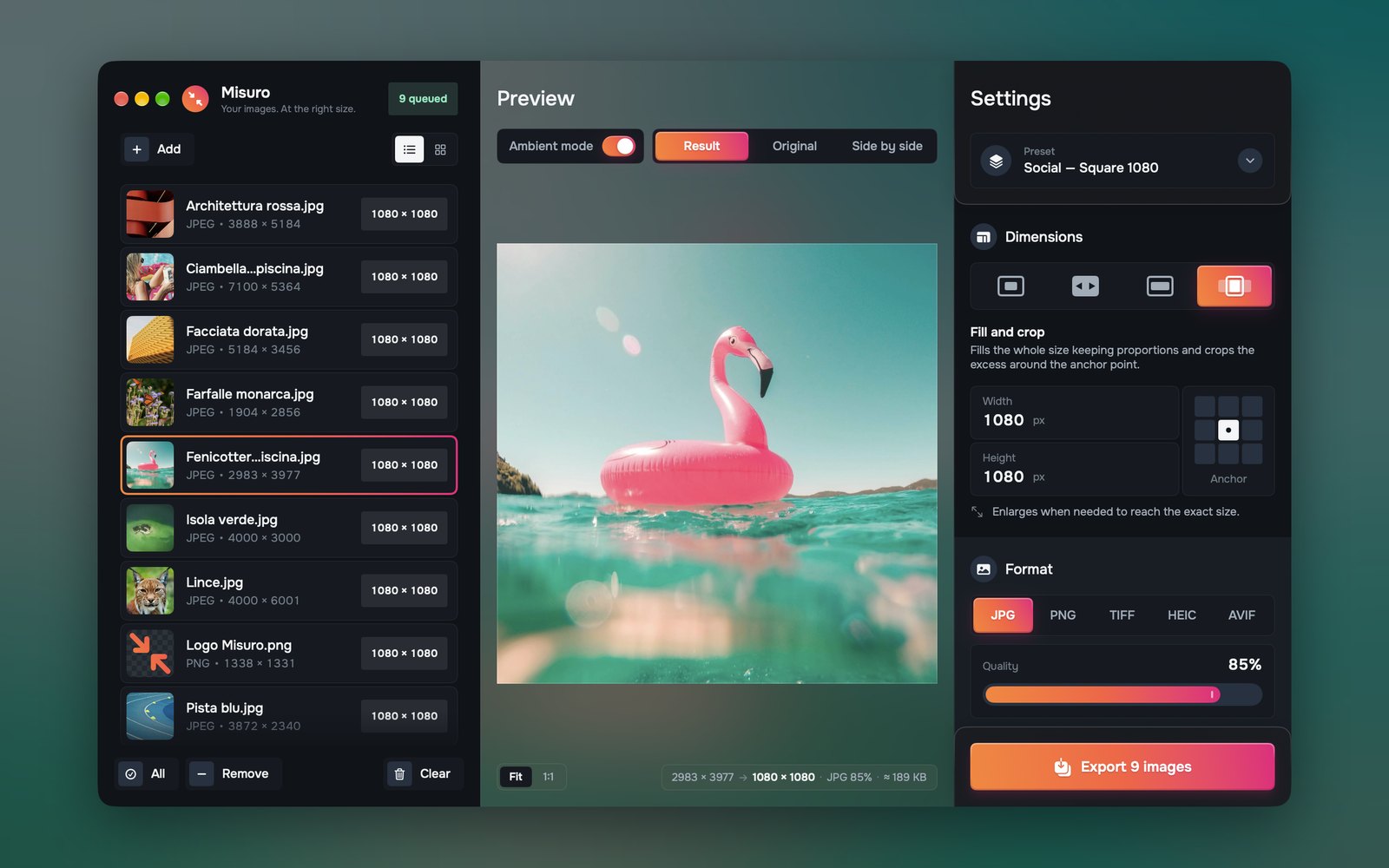
Misuro has a mode for each case. Keep proportions never changes the format: you set a width or a long side and the photo keeps its shape. Fill and crop fills an exact size and crops the excess, and with Anchor you choose which part to keep: the centre, a side, a corner. Fit with borders keeps the whole photo and adds a background colour of your choice around it. The Social presets are ready for the square (1080 × 1080) and the portrait 4:5 (1080 × 1350).

Misuro for Mac
Change the format of a whole folder of photos: crop to 16:9, square or 4:5, or add borders. Offline, one-time purchase.

Read next
Photo credits
Cover photo: Getty Images on Unsplash+. Example photos: Dino Reichmuth and Illia Bondar on Unsplash+.